/eh/2025-01-08/173633966714069467/picture.png)

/eh/2024-12-24/173503345348979036/Favorite-Icon.png)
/eh/2025-07-08/1751962110204480194/picture.png)
/eh/2025-06-21/1750485478958537574/countryInfoIcon.png)
/eh/2025-06-21/1750485741321434291/Hi-Sign-in-My-Nihao.png)
/eh/2025-06-21/1750485837193896318/cart.png)
/eh/2025-06-21/1750485968202533847/cart.png)
/eh/2025-04-17/1744862476612819675/hot-img.png)
/eh/2025-11-07/1762504524550532584/header-icon.jpg)
/eh/2025-07-07/1751875582852206790/header-icon.png)
/eh/2025-07-07/1751875587886277738/header-icon.png)

Best in 7 days


Shopping security
Item Weight: 4.3 ounces
Product Dimensions: 3.35 x 1.14 x 4.96 inches
Item model number: MetroTune
Batteries: 1 Lithium Polymer batteries required. (included)
Body Material: Plastic
Color Name: MetroTune
Connector Type: USB-C
Battery type: Lithium Polymer
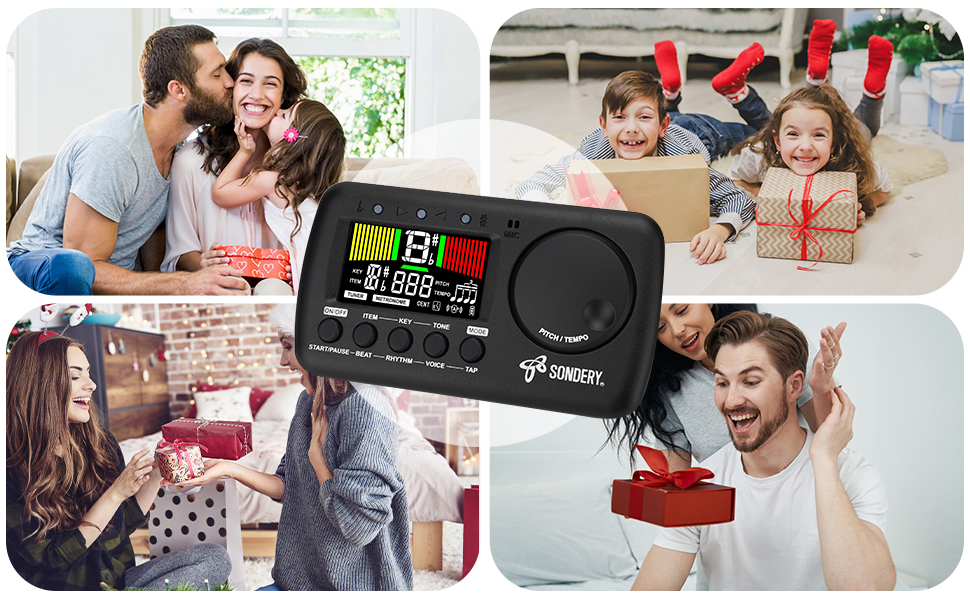

Start/Pause Metronome
Press button ‘START/PAUSE’ to start metronome, another press the button to pause metronome. When the metronome started, center green meters will
flash accordingly. The 3 LED indicators will also flash. 1 green indicator and 2 red indicators light up for accent beat, and only 1 green indicator lights up
other weak beats.
Tempo
Turn the wheel ‘TEMPO’ clockwise or counter-clockwise to choose different tempo. The tempo ranges from 30 beats per minute to 260 beats per minute.
Beat
Press button ‘BEAT’ to choose a beat. The beat options includes 0, 1, 2, 3, 4, 5, 6, 7, 8, 9.
Rhythm
Press button ‘RHYTHM’ to choose different time value ( rhythm ). There are 8 different time values.
Voice
The metronome also has a woman voice counting function. Press button ‘VOICE’ to turn on voice counting.
Tap
When you have your own tempo to input, just continuously press button ‘TAP’ to record your tempo. Each 2 presses sets the tempo.

Tuning Signal Input Ways
· Using internal MIC. If you want to use the internal MIC, do not plug any cable into the INPUT jack. Place your instrument as close as possible to your device, so there is no other sound is detected when you play your instrument and tune.
· Using external cable. You can use enclosed piezo pickup cable, insert into the INPUT jack and clip onto your instrument. Or, you can use your own instrument cable, like guitar cable etc., to link your instrument to the INPUT jack of the device. When using your own instrument cable, please note that only 6.35mm or 1/4inch gauge, mono cable is allowed.

When the tuner detects a signal, the screen shows a note name of the detected signal, and a positive or negative digit of CENT away from IN
TUNE when under C ( chromatic ) or under KEY tuning, or a digit of string number when under G ( guitar ), B ( bass guitar ), or U ( ukulele ) tuning.
The different color tuning meters will show up. The LED indicators will also light up accordingly.
· Left yellow meters show, left red LED indicator lights up, ( negative digit of cent ): FLAT.
· Center green meters show, center green LED indicator lights up, ( digit of cent ranging from -3 to 3 ): IN TUNE.
· Right green meters show, right red LED indicator lights up, ( positive digit of cent ): SHARP.

To charge, please use the enclosed Type-C USB charging cable to connect with 5V USB sources including USB adapter, power bank or computer.
ONLY use USB A to USB C charge cable as enclosed or similar to charge your device!!! ( NO USB C to USB C cable. )

Ships within 48 hours · Estimated delivery Oct 3 - Oct 8
US$40
Get nowSign up to your membership to get coupons up to
15%
Get nowOpportunity to enjoy order discount up to 15% off
Top-Converting Item to Boost Your Average Order


